Help the department move in the same direction.
When classes are marked unevenly, it is hard to tell whether a difference reflects standards, timing, or inconsistency. Marksmith Insights helps heads of department see where the picture is aligned, where it is still fragile, and what the next improvement conversation should focus on.
Two examples, two jobs: align the department picture, then sharpen the follow-up.
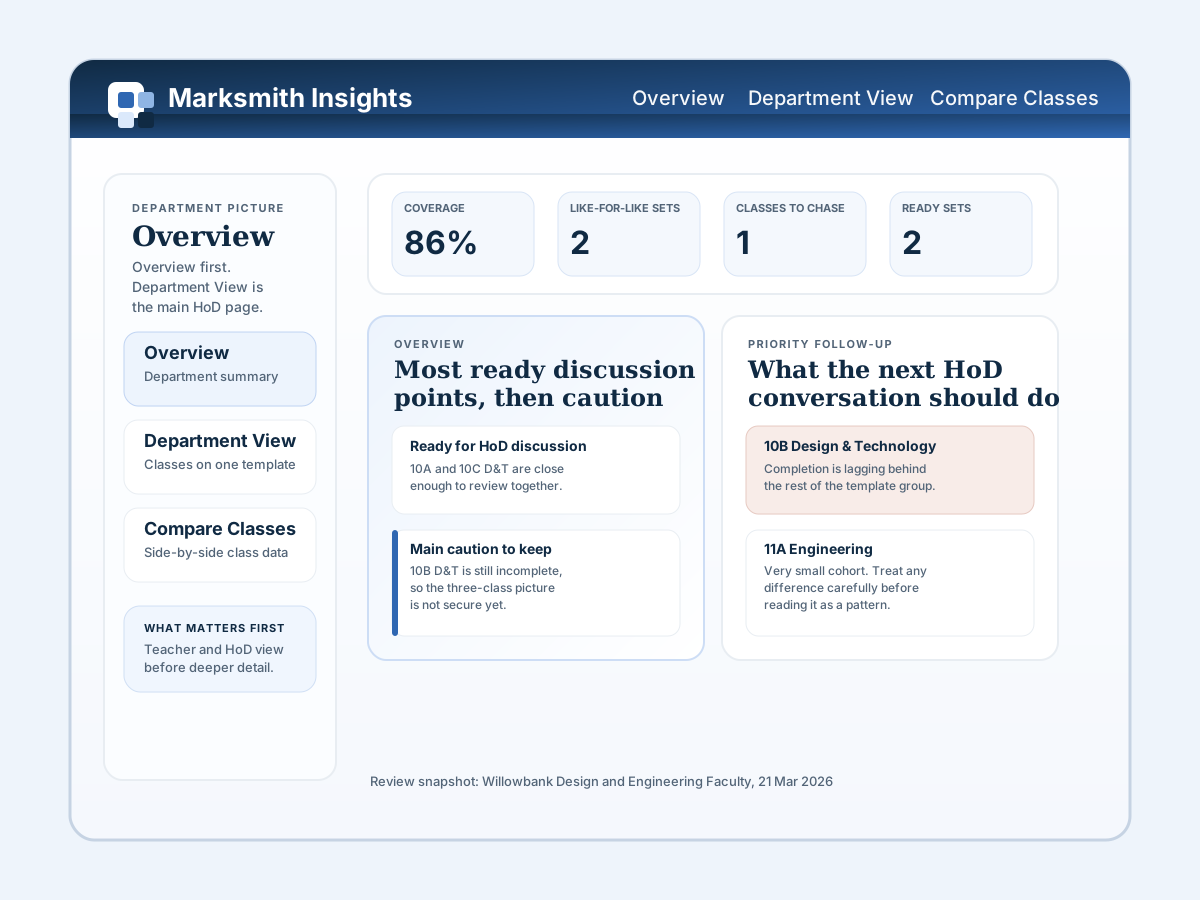
Start with whether the department is pulling together.
Overview brings the department picture into one read: coverage, like-for-like sets, where alignment is strongest, and what needs tightening next.
It solves the point where teams start talking about standards before the marking picture is lined up properly.
Department View then narrows that to one template, so a HoD can see which classes are moving together and which one needs attention.
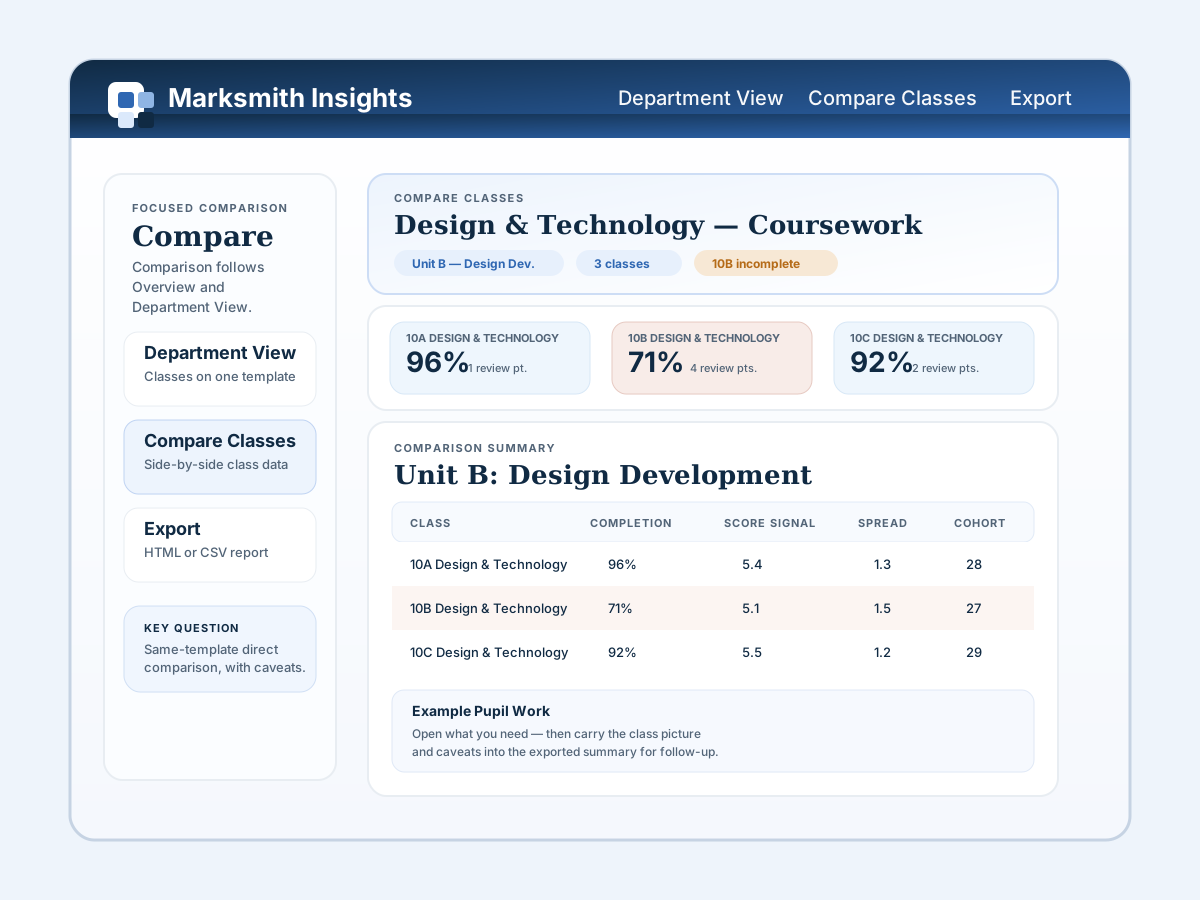
Use comparison to sharpen the next improvement step.
Compare Classes puts completion, score signal, spread, and cohort side by side, so the next conversation is grounded in one clear same-template picture.
It solves the point where a department knows something feels off but needs to see exactly where the gap sits before deciding what to do next.
If the review needs sharing afterwards, Export carries that same picture into an HTML report or CSV files with the caveats still attached.
Marksmith Insights is currently in development. In the meantime, the individual version of Marksmith Pro is free to download and includes every marking feature.